Showing posts with label iphone. Show all posts

4.01.2009


  1. establish wifi connection (comp + iphone)
  2. run socks (3proxy) from mobileterminal
  3. surf anything from mobile safari to establish EDGE
  4. set browser's socks proxy with iphone IP address & port 1080
  5. if firefox, additional step: set network.proxy.socks_remote_dns to true
iPhoneModem app is annoying

2.24.2009

Clippy! I miss thou!!

I thought it was a restriction or expired evaluation time but its NOT!
They have replaced the way to show copy & paste button to by holding
[123] even for copying an sms, you need to hold them. Thank God Clippy
is back!
Sent from my iPhone

2.02.2009

backup-sms.sh

I always have the feeling that huge sms.db will slow down SMS application startup. So I created a script to be run in Terminal and I wish I can do an application for this.

#!/bin/sh

# backup-sms.sh
#
# Created by amanyus on 2/2/09.
# Copyright 2009 __MyCompanyName__. All rights reserved.

DATE=`date +%y%m%d`
echo "${DATE}"
if test -f /var/mobile/Library/SMS/sms.db.$DATE
then echo "Today's backup already exists."; exit; fi
if ! test -f /var/mobile/Library/SMS/sms.db.$DATE
then cp -npv /var/mobile/Library/SMS/sms.db /var/mobile/Library/SMS/sms.db.$DATE; fi
ls -lrt /var/mobile/Library/SMS/
if test -f /var/mobile/Library/SMS/sms.db.$DATE
then echo "Today's backup successful"; fi

2.01.2009


Update: Something fishy here. Applications installed by Cydia do not appear on the springboard...

9.27.2008

Phone Number Fix on iPhone (localization)

Problem is iPhone doesn't recognize callers. Although they exist in the address book, iPhone only show their number with extra country code prefix.

Replace PhoneNumberTemplates.plist
in the /System/Library/PrivateFrameworks/AppSupport.framework

*Best to just backup/rename than to remove.

Custom Ringtones on iPhone

Convert audio file to use AAC codec and change the extension to m4r. Must not exceed 40 seconds.

Fix Youtube on iPhone

Unzip unlock.zip
to /private/var/root/Library/Lockdown and remove pair_records folder.

*Best to just backup/rename than to remove.

5.19.2008

Access iPhone using Finder

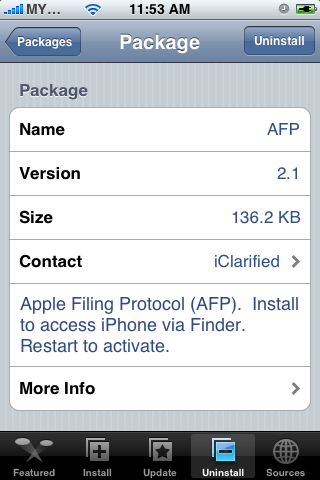
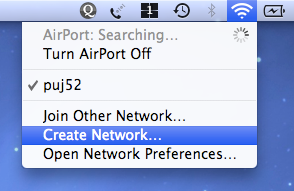
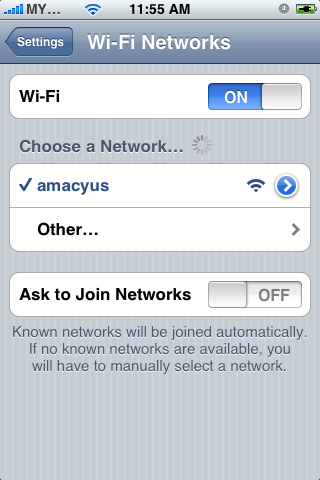
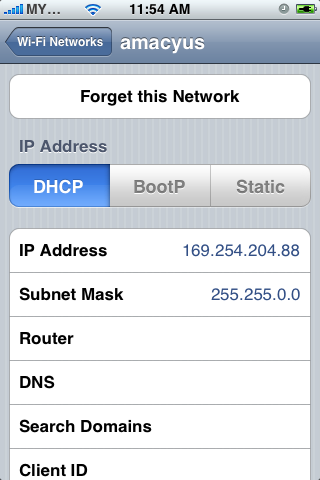
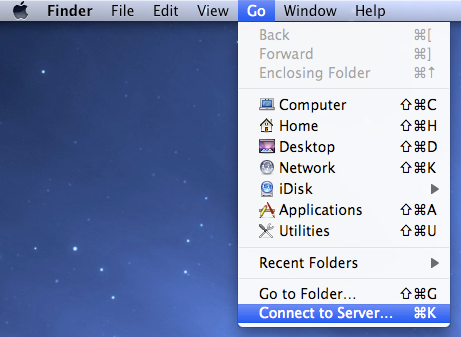
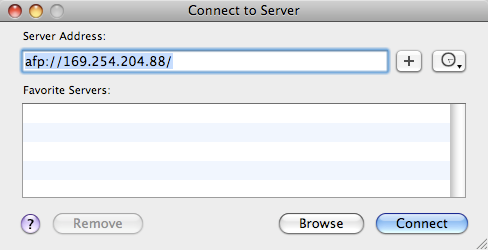
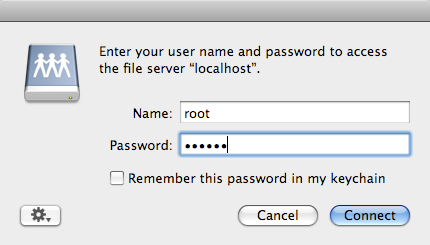
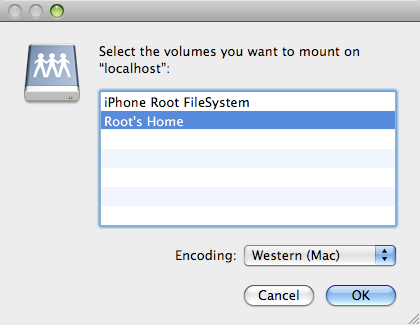
First, make sure you have AFP installed on the iPhone - you need Installer. Turn on Airport on your Mac and create network from the airport icon menu. If the network is set, you'll see the airport icon changed. Set iPhone to join the network you just created. Take note of the iPhone IP address. On your mac, activate Finder. From the top menu, choose Go > Connect to Server. Type you iPhone IP address like this example. You will be prompt for login. Type 'root' as user, and 'alpine' for password. Choose Root's Home instead of Root Filesystem because the earlier has bigger disk space.

For what? iPhone as your wireless external disk drive.